
Download WinMTR Portable – Network Diagnostic Tool, Ping, Tracert, Route Analysis, Connectivity Testing
Overview
WinMTR Portable is a specialized network diagnostic utility designed to help users analyze the path and performance of network connections between their device and a specified IP address. By merging the functionalities of traditional ping and tracert commands, the tool provides a real-time, continuous assessment of each hop along the route. This makes it particularly valuable for identifying latency spikes, packet loss, and network bottlenecks. The application is especially useful for IT professionals, network administrators, and advanced users who require detailed insights into connection quality without relying on command-line interfaces.
Target users include individuals troubleshooting internet connectivity, remote workers experiencing unstable connections, and technical teams diagnosing network infrastructure issues. The tool enables users to determine whether problems originate from their local network, ISP, or intermediate servers. Its ability to display ongoing statistics—such as packet loss and response time—supports proactive network monitoring and rapid issue resolution. WinMTR Portable is not intended for casual users seeking simple internet speed checks but rather for those needing granular, actionable data.
Although the developer did not provide additional technical details, the app has been available since 2013, indicating a long-standing presence in the networking tool ecosystem. Its continued relevance suggests reliability and adaptability across evolving network environments. The portable nature of the tool enhances its utility in diverse scenarios, from office troubleshooting to field diagnostics.
Key Features & Functionality
- User-Friendly Interface: The tool features a clean, intuitive layout that simplifies network diagnostics. Even users unfamiliar with command-line tools can initiate tests and interpret results without prior training.
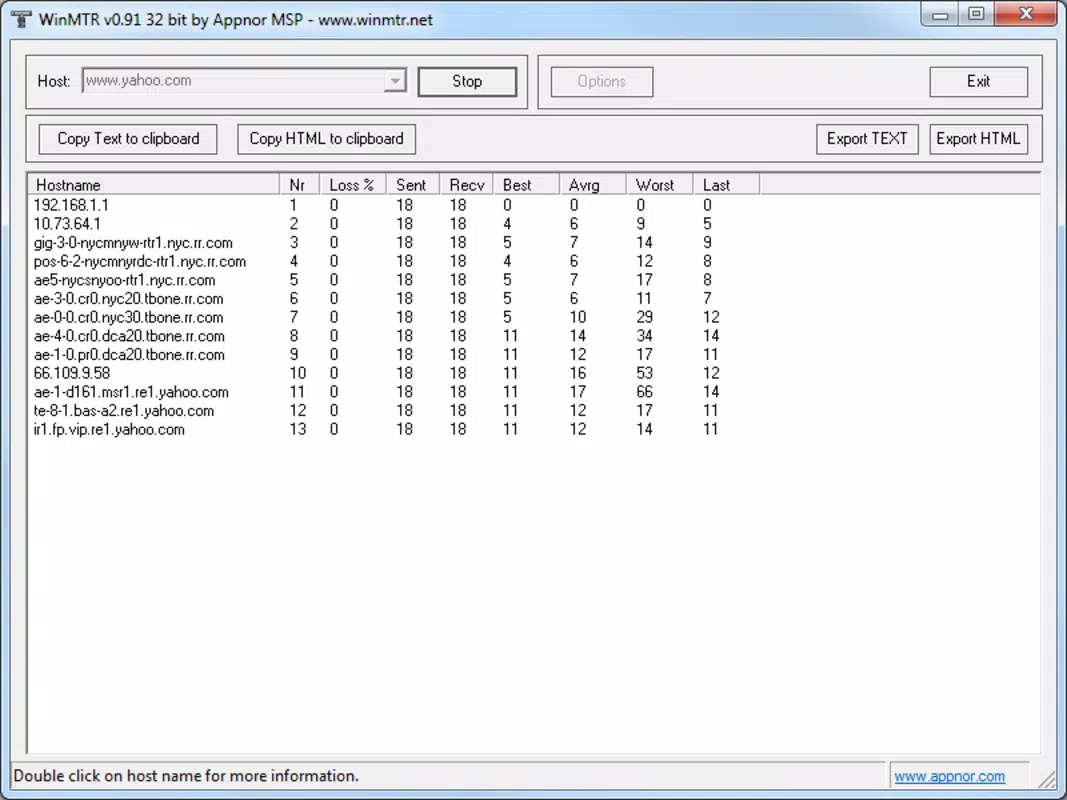
- Comprehensive Hop Analysis: WinMTR evaluates every intermediate node (hop) between the source and destination, providing packet loss, latency, and jitter metrics for each. This helps pinpoint where network degradation occurs.
- Real-Time Data Monitoring: As the test runs, users receive continuous updates on packet performance, allowing immediate detection of fluctuations in connection stability.
- Export and Copy Capabilities: Results can be exported to HTML format for detailed documentation or copied directly to the clipboard for sharing with support teams or internal reports.
- Portable and Lightweight: The application runs without installation, making it ideal for use on shared or restricted devices. It can be launched from a USB drive, ensuring consistent access across multiple systems.
For example, a network administrator can use WinMTR Portable to test connectivity to a cloud server, identify a hop with 60% packet loss, and report the issue to the ISP with concrete data. Similarly, a remote worker experiencing intermittent video call disruptions can run a test to determine if the problem lies in their local network or external routing.
Interface, UX & Performance
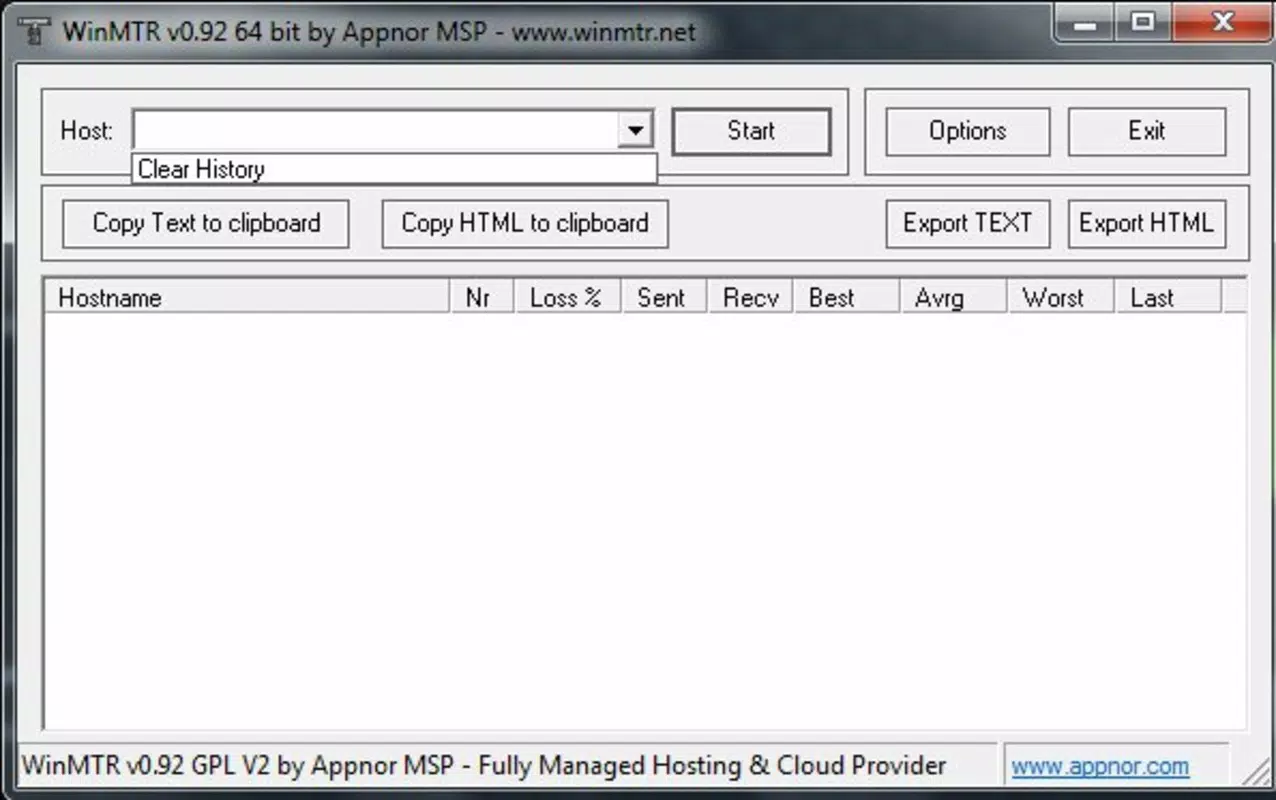
WinMTR Portable presents a minimalistic yet functional interface, optimized for clarity and efficiency. The layout organizes data in tabular form, with columns displaying hop number, IP address, hostname, packet loss percentage, average latency, and other performance indicators. Navigation is straightforward, with clearly labeled buttons for starting, stopping, and resetting tests.
The user experience is enhanced by real-time updates, which eliminate the need to manually refresh or re-run commands. The application maintains responsiveness even during extended testing sessions, though the developer did not list formal performance metrics. Stability appears consistent based on its long-term usage, with no widespread reports of crashes or freezes.
Although the developer did not specify minimum OS requirements or compatibility details, the tool functions across various Windows environments. Its lightweight design ensures minimal resource consumption, making it suitable for use on older or low-spec devices. The lack of installation also reduces the risk of system conflicts or registry changes.
Platform Compatibility & Technical Requirements
WinMTR Portable is designed for Windows operating systems. The exact version and file size were not provided. The application does not require installation, allowing it to be executed directly from removable storage such as a USB drive. This feature supports cross-device compatibility and enables use in environments where software installation is restricted.
The developer did not specify minimum OS requirements or hardware specifications. However, given its lightweight nature and lack of dependencies, it is likely compatible with a broad range of Windows versions, including Windows 7 and later. Users should ensure their system supports running portable executables and has sufficient permissions to execute the file.
Pros and Cons
Pros
- Combines ping and tracert functionalities into a single, easy-to-use interface.
- Provides real-time, continuous monitoring of network performance.
- Supports exporting results in HTML format for documentation and sharing.
- Runs without installation, making it ideal for temporary or restricted environments.
- Lightweight and efficient, with minimal impact on system resources.
Cons
- Platform is limited to Windows; no support for Android or iOS.
- Interface may appear basic to users expecting modern design aesthetics.
- Developer did not provide detailed technical specifications or compatibility information.
- Not suitable for users unfamiliar with network terminology or diagnostics.
- Results are not automatically saved; users must manually export or copy data.
FAQ
Is WinMTR Portable safe to use?
Yes, WinMTR Portable is a legitimate tool used for network diagnostics. It does not contain malware or unwanted software. However, users should download it from trusted sources to avoid modified or compromised versions.
Can I use WinMTR Portable on Android or iOS?
Currently, WinMTR Portable is only available for Windows. There is no official version for Android or iOS devices.
Do I need to install WinMTR Portable?
No, the tool is portable and runs directly from a USB drive or local folder without installation. It does not modify the system registry or require admin rights.
How do I export my test results?
After completing a test, users can export results in HTML format or copy the data to the clipboard for use in reports, emails, or documentation.
Is WinMTR Portable free to use?
Yes, WinMTR Portable is available at no cost. It is distributed as a free utility for network troubleshooting and analysis.
Final Thoughts
WinMTR Portable stands out as a reliable, no-frills network diagnostic tool for users who need detailed insights into connection paths and performance. Its ability to combine real-time data from multiple network hops makes it an essential utility for troubleshooting connectivity issues. While its interface may lack modern polish, its functionality and portability more than compensate for this limitation.
IT professionals, network engineers, and technically inclined users will benefit most from its precise, actionable data. The tool’s lightweight design and lack of installation requirements enhance its versatility across different environments. For anyone seeking a secure, efficient way to analyze network routes and detect performance issues, WinMTR Portable delivers strong value.
Download WinMTR Portable now


